
A Simple Guide to Change DBS Local Transfer Limit
Follow these easy steps to update your daily transfer limit quickly and securely.
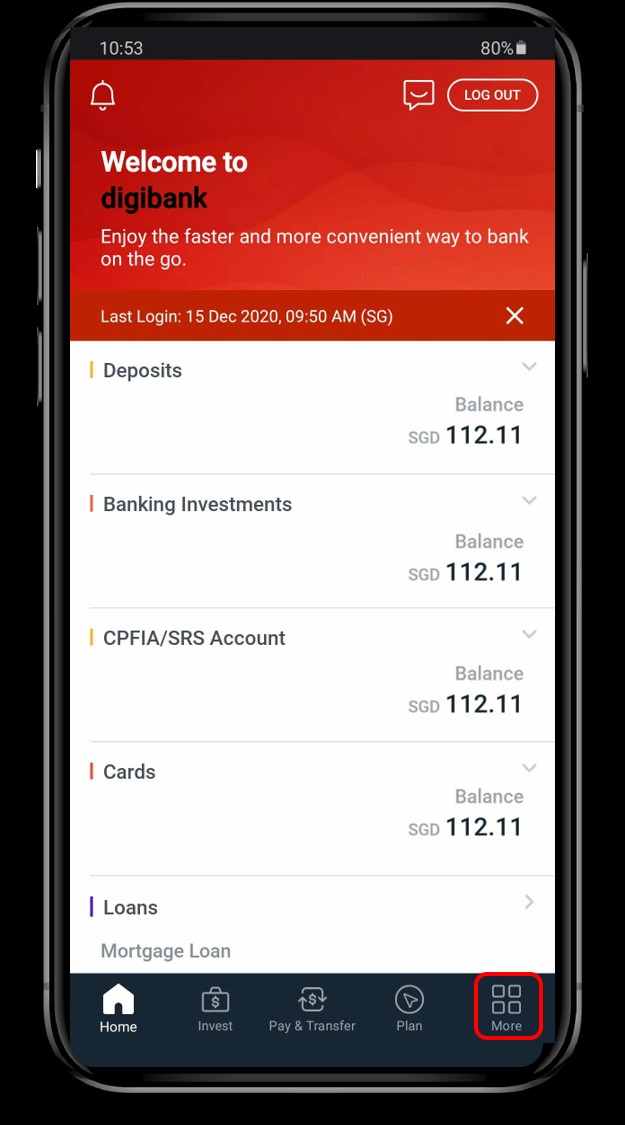
Log In and Find "More"
First, log in to your banking app. Once you’re in, look for the main menu or the More icon at the bottom right of your screen. Tap on it to open the full list of options.
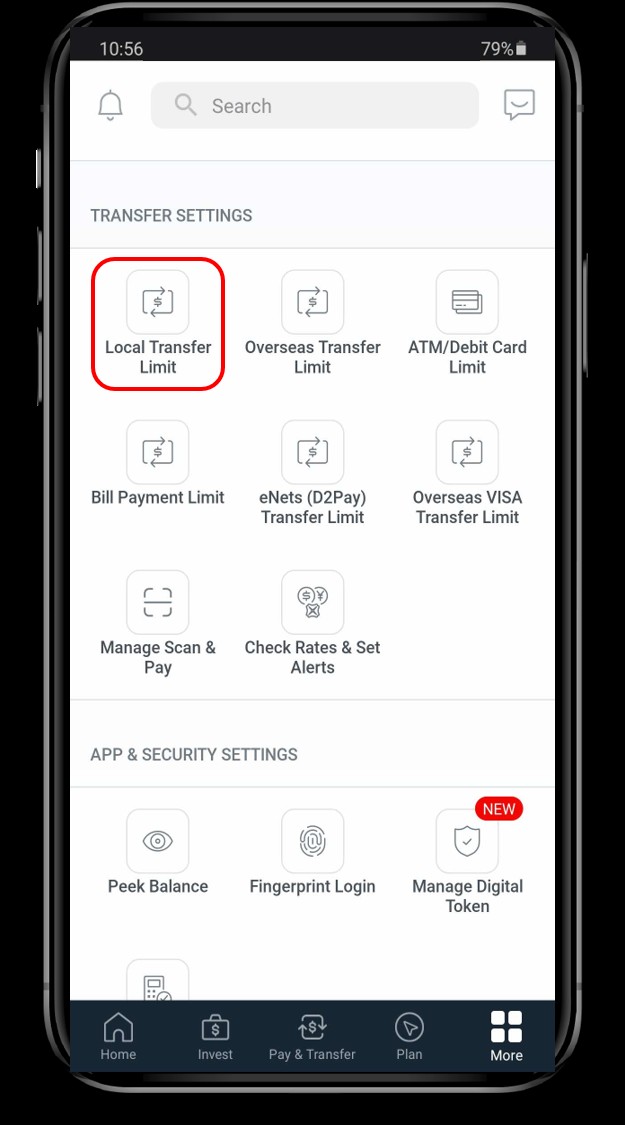
Go to Transfer Limits
2In the menu, find the Transfer Settings section. Look for and tap on Local Transfer Limit.
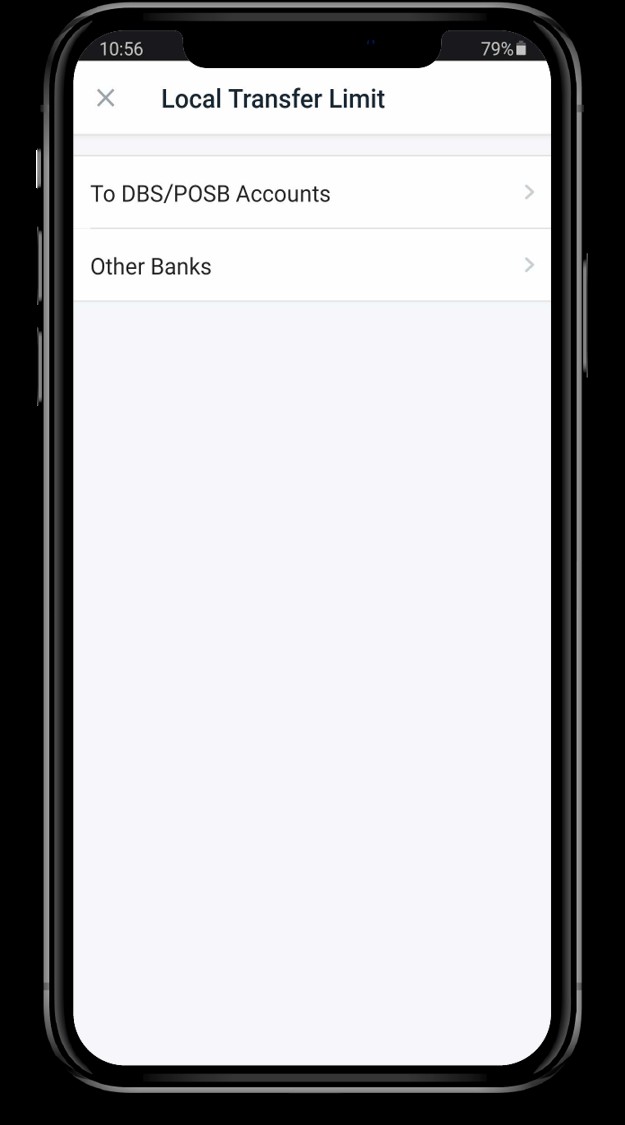
Choose the Recipient Type
You'll see different options for where you can send money. Select the type of transfer you want to change, such as To DBS/POSB Accounts or To Other Banks.
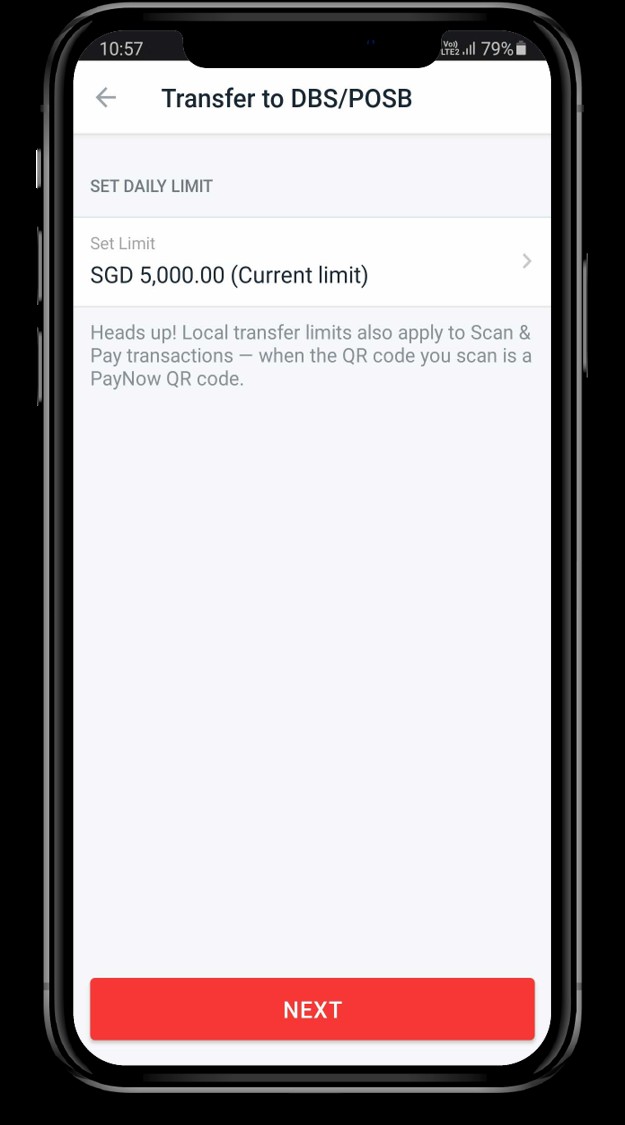
Adjust the Amount
4Your current limit will be shown on the next screen. Tap on it to enter your new desired limit. Make sure the amount you choose is within your bank’s maximum allowed limit.
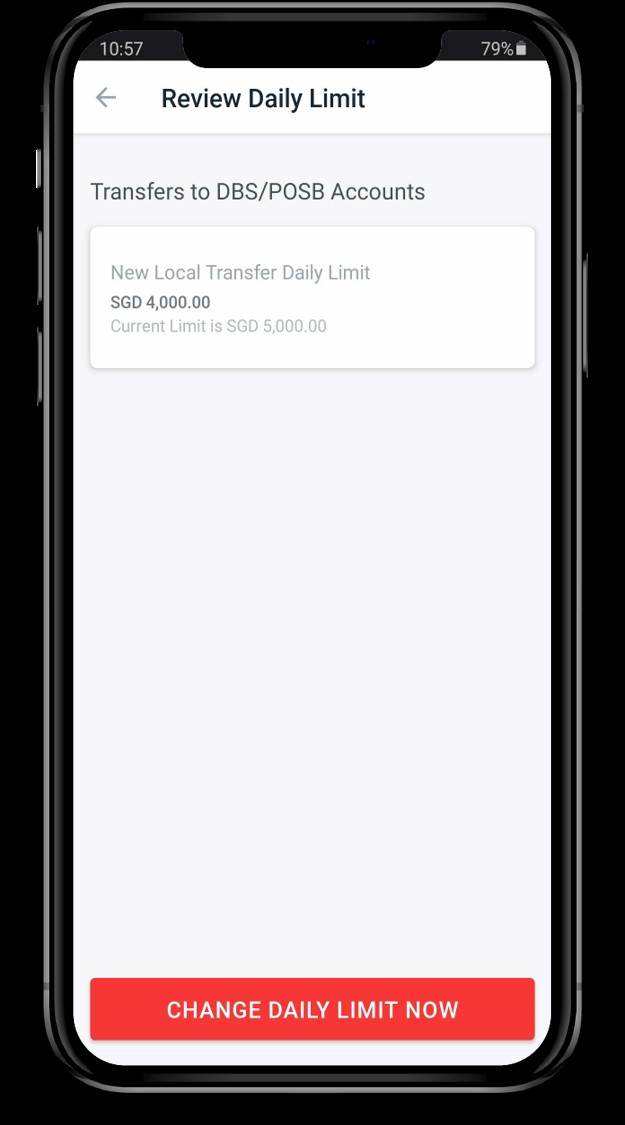
Review and Finalize
Finally, you’ll need to review the changes on this screen and tap the button to confirm. A security token or a One-Time Password (OTP) will be sent to your phone or email. Enter it to finalize the update. The new limit should take effect right away.
Confirmation of Success
6Once the OTP is entered, you will see a confirmation screen with a green checkmark. This means your new local transfer limit has been successfully changed.
